
Hold down the function key while pressing the Bluetooth device number you want to use, or program.
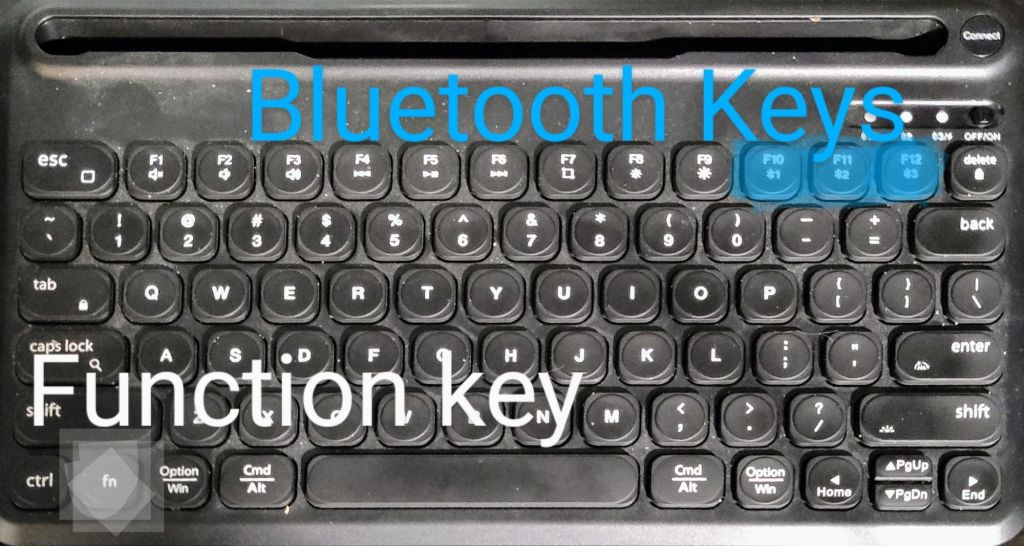
Press the connect button on the upper right to pair with device/computer. The appropriate light will flash blue.
Enter the Bluetooth device menu in the settings of your device/computer to complete pairing.
The third light will flash red when low on power. Charge with USB-C cable. The backlight for the keyboard will not function while charging, but the keyboard works normally otherwise.
The F1-F12 keys may not have the defaults you expect. Use the function key (fn) to use the alternate function.
 Donny Cowell